

Automation in the workplace refers to the use of technology, software, and artificial intelligence to perform repetitive tasks with minimal human intervention. Businesses are increasingly adopting workplace automation to improve productivity, reduce operational costs, and streamline everyday processes.
From automated desk booking systems to AI-driven analytics tools, automation is transforming how modern organizations operate. Instead of replacing employees, these technologies help teams focus on higher-value work such as strategy, creativity, and decision-making.
In this guide, we’ll explore what workplace automation is, its key benefits, real-world examples, potential challenges, and how it will shape the future of work.
Contents
- 1 What is Automation in the Workplace?
- 2 Types of Process Automation in the Workplace:
- 3 Key Workplace Automation Solutions Driving Productivity
- 4 What Are the Benefits of Automation in the Workplace?
- 5 Real-World Examples of Automation in the Workplace
- 6 Potential Challenges of Automation
- 7 The Future of Automation in the Workplace
- 8 Conclusion: Automation in the Workplace
- 9 FAQ’s About: Automation in the Workplace
- 9.1 What is workplace automation?
- 9.2 What is the purpose of workplace automation?
- 9.3 What are the benefits of workplace automation software?
- 9.4 What is an example of automation in the workplace?
- 9.5 What are the advantages and disadvantages of automation?
- 9.6 Will workplaces that work with automation become fully automated?
- 9.7 What’s the relationship between workplace automation and work-life balance?
- 9.8 How do you increase automation usage in the workplace?
What is Automation in the Workplace?
Workplace automation is the use of technology to perform tasks with minimal human effort. In its simplest form, automation applies tools such as software programs or artificial intelligence to complete routine administrative tasks or make data-driven decisions, helping organizations improve efficiency and streamline daily operations.

Types of Process Automation in the Workplace:
- Robotic Process Automation (RPA)
- AI-driven Automation
Robotic Process Automation (RPA)
Robotic Process Automation is a technology that automates rule-based and repetitive tasks in the workplace. In workplace automation, RPA is used to handle routine activities such as data entry, invoice processing, and report generation.
Robots that will perform rule-based, routine tasks like data entry, invoice processing, or report generation. This helps organizations reduce manual work, improve accuracy, and streamline everyday business operations.
AI-driven Automation
AI-driven automation uses artificial intelligence to perform tasks that require learning, analysis, and decision-making. In workplace automation, AI systems use machine learning and natural language processing to analyze large datasets, personalize customer interactions, and generate predictions. This allows businesses to automate more complex processes while improving efficiency and data-driven decision-making.
Although RPA and AI-driven automation are part of workplace automation, the two have distinct functionality.
- RPA is programmed to work and perform all routine tasks, such as data entry or payroll processing.
- AI-driven automation learns and evolves through data, enabling solutions such as customer personalization, fraud detection, and predictive analytics making it essential for businesses looking to scale innovation to hire AI developers who can build and optimize these intelligent systems.
RPA and AI are complementary. RPA can be used to automate repetitive tasks, whereas custom AI solutions can be used to enhance the intelligence and flexibility of more complex tasks.
Standard workplace automation tools include:
- Workflow automation platforms like Zapier and Asana
- Chatbots for customer service
- AI-driven analytics tools
- Recruitment and HR management systems
In other words, automation and AI in the workplace work together to increase efficiency, accuracy, and informed decision-making. Lastly, AI voicebots also play a key role in customer service, handling routine inquiries and ensuring faster, more seamless interactions for clients.

Key Workplace Automation Solutions Driving Productivity
Workplace automation solutions are digital tools designed to automate everyday workplace tasks and improve operational efficiency, often supported by custom software development tailored to an organization’s unique operational needs.
As organizations embrace digital transformation, workplace automation extends beyond routine processes to shape how employees interact with their environment.
From reserving workstations to managing meetings and welcoming guests, automation now plays a central role in building smarter, more efficient workplaces.
1. Desk Booking Software
As flexible and hybrid work models continue to grow, automated desk booking software is becoming a key part of modern workplace efficiency. It allows employees to reserve workspaces in advance, ensuring optimal space utilization and a seamless in-office experience. This automation helps reduce underused desks, cuts real estate costs, and improves employee satisfaction through smart, data-driven workspace allocation.
2. Meeting Room Booking Software
Similarly, automated meeting room booking software eliminates the frustration of double bookings and scheduling conflicts. It integrates with calendars and collaboration tools, ensuring teams can quickly find and reserve the right meeting spaces. By automating this process, organizations can save valuable time and focus on collaboration instead of coordination.
3. Visitor Management Software
Workplace automation also extends to managing guests and external partners. With visitor management software, organizations can streamline check-ins, enhance security, and provide a professional first impression. This technology ensures compliance, safety, and an overall smoother visitor experience—completing the loop of workplace automation from employees to guests.

What Are the Benefits of Automation in the Workplace?
The benefits of automation in the workplace are the advantages businesses gain by using technology to streamline repetitive tasks and workflows. It improves efficiency, reduces operational costs, minimizes human errors, and allows employees to focus on higher-value, strategic work, ultimately increasing overall productivity and workplace effectiveness.
- Increased Productivity
Automation is used to automate routine activities that can slow down day-to-day activities. Workers will save time and energy, which they can use to concentrate on strategy, creativity, and innovation.
- Cost Efficiency
Cost efficiency means reducing operational costs through workplace automation. Automating routine processes lowers the need for manual labor and helps reduce workplace injuries and related administrative costs. It also minimizes indirect labor expenses such as overtime, sick leave, and employee benefits like 401(k) contributions, making operations more efficient and cost-effective.
- Error Reduction
Automated systems are designed for accuracy and consistency. This will save on costly human error mistakes encountered in production. Consequently, businesses will be of better quality and reliability.
- Improved Employee Satisfaction
Moving away from mundane jobs frees the employees to focus on the important tasks. When their skills are used more effectively, they feel more valued and engaged. This change can increase morale and decrease burnout. Implementing digital tools like a form creator with QR code can further enhance workplace automation by allowing employees or clients to access and submit forms instantly.
Real-World Examples of Automation in the Workplace
Real-world examples of workplace automation show how businesses use technology to streamline tasks, improve efficiency, and reduce manual effort. To understand more clearly how automation in workplace is being applied, we shall look at the examples of automation in the workplace in different industries:
- Customer Support Automation
A lot of companies have adopted the use of AI chatbots and other AI-powered systems to answer customer questions. These tools can easily respond to common questions and solve minor issues, making their services faster and customers satisfied.
- Manufacturing Automation
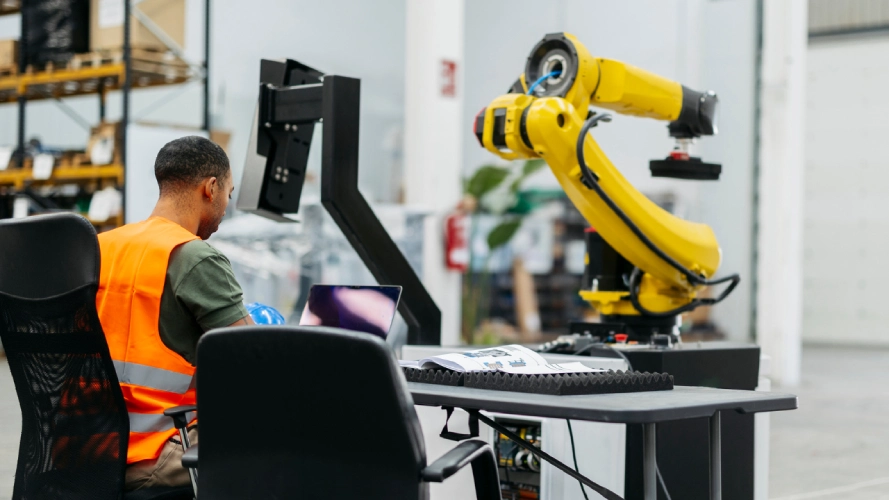
Robots and automated assembly lines are the standard in factories, driven by solutions developed by manufacturing software development companies. They increase production speed, maintain consistent quality, and enhance workplace safety by performing hazardous tasks.
- HR and Payroll Automation
Administrative tasks are more efficient with the help of recruitment software, payroll systems, and digital onboarding tools. These solutions reduce the possibility of error and save the HR teams time. Above all, they enable professionals to pay more attention to people, not paperwork.
These examples demonstrate how automation is changing the workplace in measurable and practical terms. Automation is no longer a mere technical advancement; it is a strategic asset that is reshaping how businesses are run and compete, such as enhancing customer service, changing manufacturing, and enhancing HR in healthcare with medical staffing software.
Potential Challenges of Automation
Potential challenges of automation refer to the practical risks and considerations businesses may face when implementing automation in the workplace. While workplace automation improves efficiency and productivity, organizations must evaluate potential drawbacks before adopting automated systems.
Although the benefits are evident, organizations must consider the pros and cons of automation in the workplace before implementing it. Here are some key concerns:
- Job Displacement Concerns
One of the most common fears is that machines will take over human jobs. Whereas some jobs might decrease or be eliminated, new ones are likely to open in the control, programming, and maintenance of such systems. The challenge is to help workers transition into these changing jobs.
- Implementation Costs
Investing in high-quality workplace automation tools and systems can be expensive. For specialized sectors, partnering with an education software development company can help navigate these complexities. The initial investments may be overwhelming, especially to small and medium-sized businesses. However, the initial cost is usually justified by the savings and efficiency in the long run.
- Employee Training
Automation implies that employees must adapt to emerging technologies and new working procedures. Unless the staff is well-trained, they can misuse such tools. Learning must be ongoing to ensure that it is adopted easily and is successful in the long run.
Automation in the workplace has become a necessity for businesses to remain competitive. Although there are pros and cons of automation in the workplace, the long-term benefits in productivity, cost, and employee satisfaction are undeniable.
By implementing the appropriate workplace automation tools, businesses will be able to easily gear up for the future of automation in the workplace with confidence.
The Future of Automation in the Workplace
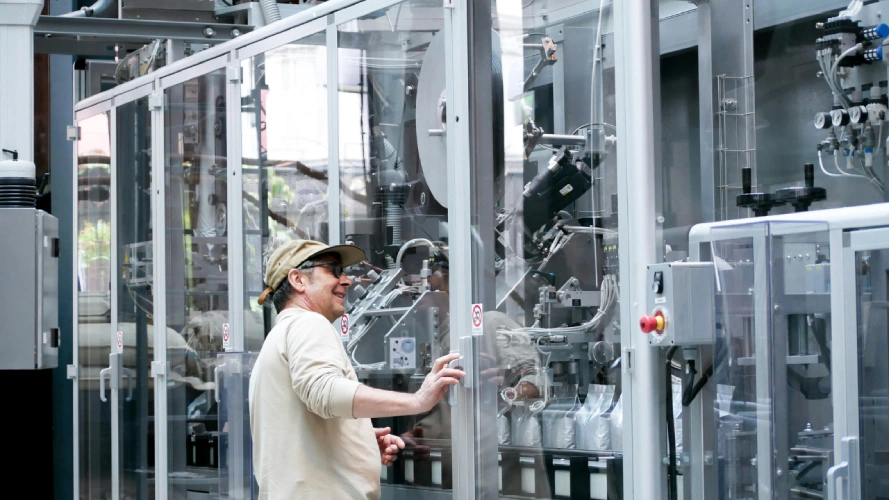
Moving forward, the future of automation in the workforce is ripe with potential. AI, machine learning, and predictive analytics will introduce even more efficiencies and new opportunities to companies across the globe, including those in healthcare BPO services.
Key Predictions Include:
- More Thoughtful Decision-Making: AI will enable leaders to access real-time data and insights, helping them make faster, more accurate, and informed decisions.
- Human-Machine Collaboration: Automation will not automatically mean a replacement of human tasks. Instead, it will improve the collaboration between people and machines to deliver improved results.
- Scalable Growth: Firms that embrace automation early will have a long-term advantage. They will be placed in a sustainable growth and increased competitiveness.
Businesses must embrace automation, learn to be adaptable, and continually learn to stay ahead.
Conclusion: Automation in the Workplace
Workplace automation is no longer an option; it is necessary for any business that wants to succeed in the new economy. Possible benefits include increased productivity, cost savings, and employee satisfaction. However, companies also face issues such as job displacement, investment expenses, and training.
The future of automation in the workforce is not about replacing humans, but rather enabling them to do their best work.
Want to see what automation can do for your business? Find out how Othership can help you find innovative solutions and how the appropriate tools can help you become more efficient, productive, and grow.
FAQ’s About: Automation in the Workplace
What is workplace automation?
Workplace automation is the use of technology such as software, AI, and robotic process automation to perform repetitive tasks with minimal human effort. It helps businesses streamline operations, improve accuracy, and allow employees to focus on higher-value work.
What is the purpose of workplace automation?
The purpose of workplace automation is to streamline repetitive tasks using technology so employees can focus on higher-value work and improve overall productivity.
What are the benefits of workplace automation software?
Workplace automation software improves productivity, reduces operational costs, and minimizes human errors. It also frees employees from repetitive tasks so they can focus on strategic, creative, and high-impact work.
What is an example of automation in the workplace?
Examples of workplace automation include desk booking systems, meeting room scheduling software, visitor management tools, AI chatbots for customer support, and automated payroll or HR systems.
What are the advantages and disadvantages of automation?
The advantages of automation include increased efficiency, cost savings, and improved accuracy. However, challenges may include implementation costs, employee training requirements, and concerns about job displacement.
Will workplaces that work with automation become fully automated?
No, most workplaces will not become fully automated. Instead, automation will support human workers by handling repetitive tasks while employees focus on decision-making, creativity, and collaboration.
What’s the relationship between workplace automation and work-life balance?
Workplace automation can improve work-life balance by reducing manual workloads and repetitive tasks. This allows employees to spend more time on meaningful work and maintain a healthier balance between professional and personal responsibilities.
How do you increase automation usage in the workplace?
Organizations can increase automation usage by adopting user-friendly tools, providing employee training, and integrating automation into daily workflows. Clear communication about its benefits also helps teams adopt automation more effectively.


You must be logged in to post a comment.