

Modern offices and environments have to possess a sturdy conference room setup for video conferencing since hybrid groups are looking for uniformity. Leaders want meeting room technology that supports clear communication in every meeting. Organizations increasingly depend on a stable conference room video conferencing setup, especially as global teams collaborate daily.
Modern organizations invest in meeting room solutions because unreliable meetings waste time and reduce productivity. A strong conference room setup for video conferencing ensures meetings start smoothly and end efficiently. Thus, leaders need predictable meeting room technology that supports every interaction.
Contents
- 1 What Makes a High-Performing Conference Room Setup in 2025–2026?
- 2 How Do You Set Up a Conference Room for Video Conferencing? Step-by-Step Guide
- 3 Essential Conference Room Technology & Equipment Checklist
- 4 Best Devices & Displays for Conference Room Video Conferencing
- 5 Choosing the Best Video Conferencing System for Your Conference Room
- 6 Benefits of a Well-Designed Conference Room Setup
- 7 How Meeting Room Booking Software Enhances Your Video Conference Room Setup
- 8 Conference Room Layout Templates for Different Room Sizes
- 9 Best Practices for Conference Room AV Setup & Maintenance
- 10 The Future of Smart Conference Rooms & AI-Driven Meeting Spaces
- 11 Conclusion: Build a Modern, Efficient, Future-Ready Conference Room
- 12 FAQs About Conference Room Setup for Video Conferencing
- 12.1 1. What basic components are essential for an effective video conferencing setup in a conference room?
- 12.2 2. How should I choose the right layout and size for a video conference room?
- 12.3 3. What are common mistakes to avoid when setting up a video conferencing room?
- 12.4 4. What role does conferencing software choice play in a conference room setup?
- 12.5 5. How can meeting room management software improve the video conferencing experience?
What Makes a High-Performing Conference Room Setup in 2025–2026?
A high-performing conference room setup supports fast communication and flexible workstyles across hybrid teams. Modern organizations need a modern conference room that delivers clear audio and sharp visuals. Strong conference room technology enables dependable collaboration across multiple locations.
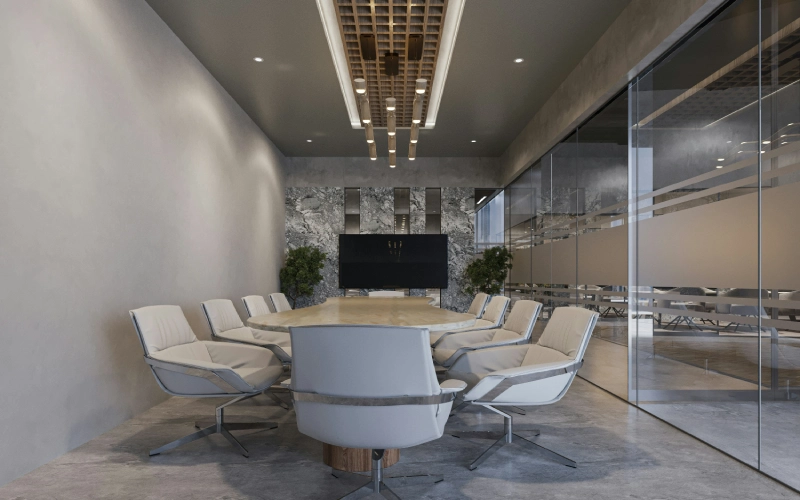
The constant changes of hybrid work lead to the need for flexible conference room setup by professionals. Organizations need robust plans for conference room arrangements that enable them to adapt to future working patterns. By incorporating the latest technology into a meeting room booking software, businesses can be more adaptable to unexpected changes.
What Core Elements Does Every Modern Conference Room Need?
Explains the essential tools and technologies required to create a reliable and effective meeting environment.
Every group must have reliable meeting room technology with which they can enjoy undistorted sound and sharp pictures. A complete conference room setup includes strong displays, quality microphones, and stable networks. Effective conference room essentials create professional experiences for every user. As demand grows for flexible, scalable, and highly integrated workplace tools, many meeting room booking platforms rely on nearshore software development to accelerate innovation without inflating costs.
Powerful video conferencing technology works in perfect harmony with collaboration tools. The conference room setups, that is, of the very best quality and with all the necessary equipment, lower the barriers to communication in meetings.
How Do Hybrid and Remote Work Change Meeting Room Setups?
Highlights how evolving work models demand flexible, inclusive, and scalable conference room solutions.
The hybrid work model necessitates that all office spaces have quality conference room setups in all areas. The teams of today want the meeting room technology that never fails them and works perfectly every time.
The right type of conference room technology will allow remote workers to interact with the onsite teams as if they were there. The conference room technology that can be scaled according to the needs of the users makes the remote participants feel as if they are present.
What Common Conference Room Setup Mistakes Do Businesses Make?
Identifies frequent setup errors that reduce meeting quality and hinder effective communication.
A lot of companies do not realize how important strategic conference room setups are until they start planning. Some leaders do not pay attention to where meeting room technology is placed, and as a result, problems that could have been avoided occur.
Ignoring acoustics weakens even the best conference room setups in larger rooms, as weak echo control reduces the value of advanced meeting room technology investments. That said, unbalanced conference room technology creates inconsistent audio experiences.
How Do You Set Up a Conference Room for Video Conferencing? Step-by-Step Guide
A clear step-by-step plan ensures a smooth and effective video conferencing setup across all offices.
For the proper functioning of a video conferencing room, local guidelines must be provided to companies. Clear planning ensures smooth video conferencing installation across all offices.
Organizations necessarily require straightforward guidance on how to set up a video conference room effectively. With meticulous planning, video conferencing installation in all offices is done smoothly without any issues.
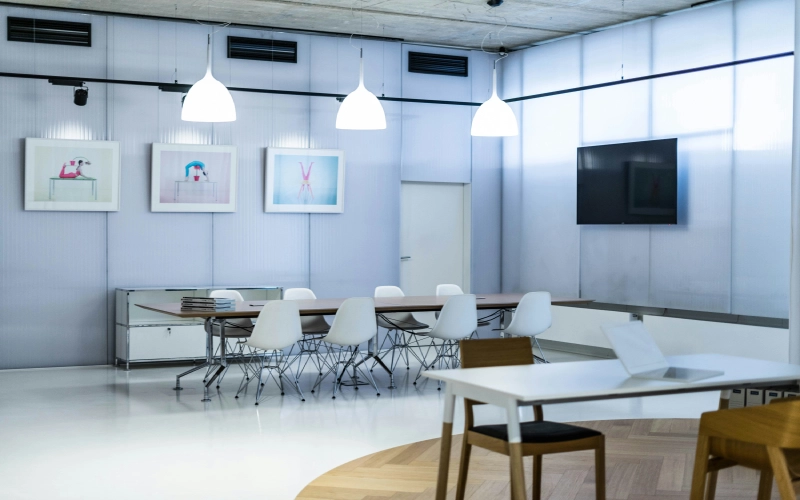
How Should Room Size, Layout, and Configuration Be Planned?
Choosing the right room size and layout ensures the setup supports both small and large meeting groups efficiently.
The choice of conference room video conferencing setup has to be made according to the size of the room. The scalable meeting room configurations correspond to small and large groups effectively. And an appropriate conference room set up for video conferencing caters to physical requirements.
What Are the Best Conference Room Layout and Setup Styles?
Selecting the right layout improves communication flow and ensures better engagement during meetings.
Leaders choose meeting room setups that match the meeting purpose. Strategic conference meeting room setup decisions improve communication flow. Thus, strong conference room layout styles promote equal engagement.
How Should Camera Placement Be Optimized in a Video Conference Room?
Proper camera positioning enhances visibility and creates a natural, face-to-face communication experience.
Strong camera placement strengthens every conference room video conferencing setup in hybrid workplaces. Accurate video conference room setup angles are essential for teams to have a communication flow as if they were face-to-face.
What AV Setup Is Needed for Conference Rooms?
A reliable audio-visual setup ensures clear sound, minimal echo, and smooth meeting performance.
Clear audio strengthens all conference room AV investments across business environments. Strong microphones support every conference room video conferencing setup effectively. With balanced equipment, you can have reliable meeting room setups daily. To ensure smooth video delivery and playback for hybrid meetings and training sessions, selecting the right VOD platforms is also important and can greatly enhance participant engagement and overall meeting effectiveness.
To ensure smooth video delivery and playback for hybrid meetings and training sessions, selecting the right VOD platforms is also important and can greatly enhance participant engagement and overall meeting effectiveness.
How Do Lighting and Backdrops Impact Virtual Meetings?
Good lighting and professional backgrounds improve visibility and create a strong, polished meeting presence.
No matter where the virtual meeting is held, good lighting will enhance the setup. The teams have to rely on the visibility of the conference room video conferencing setup being consistent all the time. There might be different styles of the meeting room setup, but the professional backdrops will always be very powerful in strengthening the impact of each style.
What Network Requirements Ensure Reliable Video Conferencing?
A stable and well-planned network guarantees uninterrupted and high-quality virtual meetings.
Strong networks protect every conference room video conferencing setup during critical meetings. With stable bandwidth, virtual meeting setups deliver consistent performance. To make that reliability sustainable at scale, enterprise network planning further enhances meeting room setups.
On the room level, wired connections provide added stability for the conference room video conferencing setup. And when disruptions occur, redundant systems protect each virtual meeting setup during outages.
Essential Conference Room Technology & Equipment Checklist
A comprehensive list of conference room equipment helps business professionals plan more effectively. For leaders building hybrid collaboration, choosing the right conference room essentials is key—and the best video conferencing equipment helps keep business operations reliable.
In practice, strong meeting room equipment elevates meeting quality, while reliable technology reduces user frustration. To tie everything together, thoughtful conference room AV planning ensures more predictable results.

Best Video Conferencing Equipment for 2025–2026
Modern cameras play a central role in defining effective video conferencing equipment strategies. By delivering sharper visuals, high-resolution devices enhance overall performance, while premium hardware adds the reliability businesses depend on.
Conference Room Displays, TVs & Monitor Setup
Large screens improve conference room display visibility dramatically. Quality conference room display solutions support hybrid participation. Layouts that are strong increase the monitor setup clarity of the conference room.
Meeting Room Display Solutions & Panels
Scheduling panels enhance the management of meeting room display solutions. These panels streamline meeting room display solutions across offices. Interactive screens support effective meeting room display solutions. And with collaborative tools, meeting room display solutions’ functionality becomes better.
Smart Conference Room Technology & Automation Tools
Automation strengthens every smart conference room ecosystem. Intelligent platforms unify smart conference room experiences. For example, sensors enhance the reaction of the smart conference room to its users.
Conference Room Audio Visual Solutions (AV)
Integrated systems can dramatically elevate conference room AV quality. With consistent, well-executed installations, teams experience more reliable day-to-day AV use. Over time, improved standards help ensure better results across every meeting.
High-quality AV equipment in conference rooms is already there, thanks to the novel installation. Thorough planning makes conference rooms’ audiovisual equipment more precise.
Best Devices & Displays for Conference Room Video Conferencing
Professionals need strong conference room display solutions for consistent performance. A large, high-quality screen improves visibility, and flexible monitor setups support hybrid collaboration.
Choosing the right display size fits different room layouts, while strategic placement reduces frustration. Overall, a smart monitor setup helps participants communicate more effectively.

iPad Displays for Premium Offices
The usability of iPads makes them a better choice for conference room display solutions due to their user-friendly interfaces. Smooth operation contributes to the usability of the conference room display.
Android Scheduling Panels for Budget-Friendly Scale
Android panels can reduce conference room display solution costs, which helps budget teams scale deployments and expand coverage. At the same time, open platforms broaden integrations, while customizable apps make it easy to update conference room screens and roll out systems quickly.
Windows-Based Displays for Enterprise Conference Rooms
Windows displays help make enterprise conference room display solutions more consistent, while integrated security protects conference room display networks—building trust in reliable platforms. At the same time, flexible apps support deeper customization, and conferences or events can benefit from premium display systems that keep communication and operations running smoothly.
How to Choose Displays Based on Room Size & Style
Small meeting rooms cannot do without compact display solutions if they want to be heard and understood. Properly sized displays will ensure that everybody can see and hear. In such a balanced setup of monitors in the conference room, collaboration is enhanced.
A single conference room display that can switch between modes as needed is ideal for mid-sized rooms. With a centered screen to improve audience focus, a well-placed conference room monitor setup also supports smoother hybrid calls.
Choosing the Best Video Conferencing System for Your Conference Room
Organizations need the best video conferencing system to deliver seamless experiences. High-quality platforms improve how video conferencing equipment performs, and strong solutions for small businesses support scalable operations.
That’s why choosing the right virtual conference room platform is key to successful hybrid collaboration. With unified tools in place, video conferencing facilities stay consistent and leaders can keep everyday business processes running smoothly.
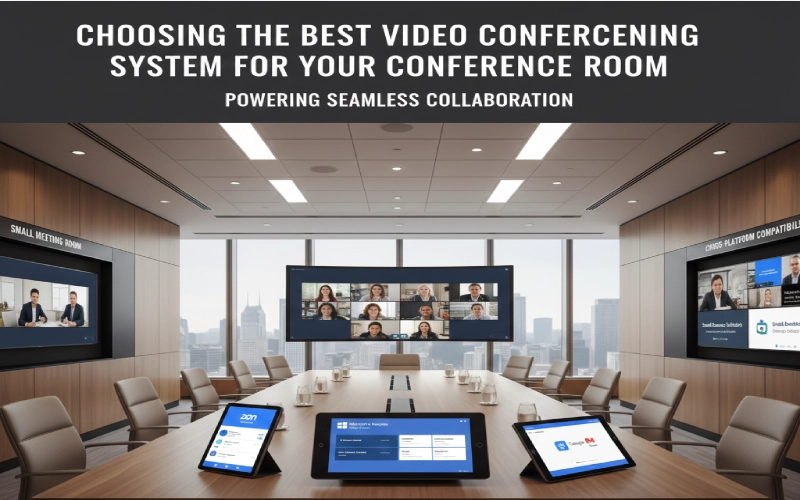
Zoom Rooms Video Conferencing Setup
Zoom Rooms enhances the best video conferencing system with strong integrations. Its platform elevates the best video conferencing equipment performance. Zoom supports flexible video conferencing solutions for small business configurations, which benefit the best video conferencing equipment interactions.
Microsoft Teams Room Installation
Team Rooms is the best video conferencing system for large companies, according to experts. Its functionalities are the best video conferencing equipment, and thus, they improve collaboration. Teams supports powerful video conferencing solutions for small business entry points, since its flexibility enhances the best video conferencing equipment adoption.
Google Meet Room Configuration
Google Meet is the most excellent video conferencing system, and by its ease of use, it has been further improved. Its platform complements the best video conferencing equipment well. The tools of this platform are the most efficient for the best video conferencing equipment.
Cross-Platform Video Conferencing Compatibility
Compatibility is the factor that makes the best video conferencing system stronger and more effective across organizations. Cross-platform tools enhance the best video conferencing equipment.
Interoperability between different software and hardware makes the video conferencing solutions for small businesses comparatively stronger. Eventually, it leads to the freeing up of the teams and the best video conferencing equipment being used more flexibly.
Video Conferencing Solutions for Small Businesses
Video conferencing solutions for small businesses that are cheap and within the reach of small companies are the need of the hour. Actually, cost-effective products are the backbone of the best video conferencing equipment usage. Similarly, securing the right small business health insurance plans is a foundational investment in your team’s wellbeing and long-term productivity.
Collaboration among different platforms widens the video conferencing solutions for small businesses to get used to. The ease of use of the best video conferencing equipment results in higher productivity.
Benefits of a Well-Designed Conference Room Setup
A strong conference room technology solutions strategy boosts productivity across teams. Advanced conference room video solutions improve hybrid communication and reduce delays.
New meeting room technology enhances worker productivity. High-quality video conference room setup supports immediate collaboration. Innovative leaders boost the flexibility of systems within their organizations.
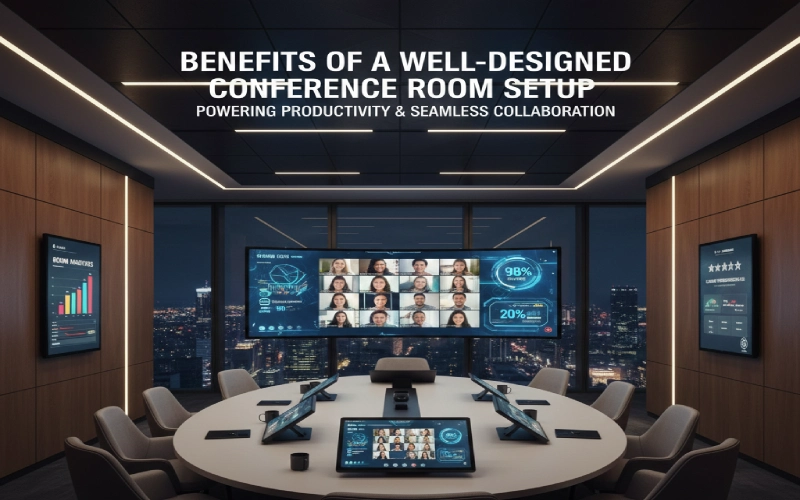
Reduced Meeting Delays & Technical Interruptions
Stable systems strengthen conference room technology solutions’ reliability. Smooth launches lead to better performance of conference room video solutions. Thus, the leaders get more time saved for their important tasks.
Good design increases the efficiency of conference room technology solutions. Moreover, the conference room video solutions have become of higher quality due to fewer glitches.
Enhanced Team Collaboration & Engagement
Modern setups increase conference room technology solutions engagement, as clear visuals strengthen conference room video solutions communication.
Hybrid-friendly upgrades increase the value of the technology solutions for the conference room. The video solutions greatly enhance the interactivity of the remote participants in the conference rooms.
Improved Client Impressions
Modern setups increase engagement with conference room technology solutions. With clearer visuals, conference room video solutions strengthen communication.
As teams adopt hybrid-friendly upgrades, the value of conference room technology rises. These video solutions also make remote participants more interactive, helping the conversation feel truly live.
Better Space Utilization & Room Management
Smart planning maximizes conference room technology solutions usage. Automated systems boost conference room video solutions adoption, and leaders stop the waste of space.
Conference room analytics increases the forecasting accuracy of conference room technology solutions. Data-driven management allows a better spread of conference room video solutions.
Support for Hybrid Meetings & Virtual Conference Rooms
Flexible tools strengthen conference room technology solutions across hybrid environments, and adaptive features boost conference room video solutions engagement.
Virtual rooms extend that reach, while high-quality video helps remote participants stay included—so teams can work seamlessly across spaces.
How Meeting Room Booking Software Enhances Your Video Conference Room Setup
Scheduling accuracy significantly enhances the effectiveness of meeting room booking systems. The use of smart tools simplifies the process of searching for meeting room solutions for hybrid offices.
Booking platforms improve the reliability of conference room systems. With automated rules supporting smart room operations, teams can avoid scheduling conflicts more easily.
Are you ready to get rid of scheduling conflicts? You can book a meeting room with Othership’s software.
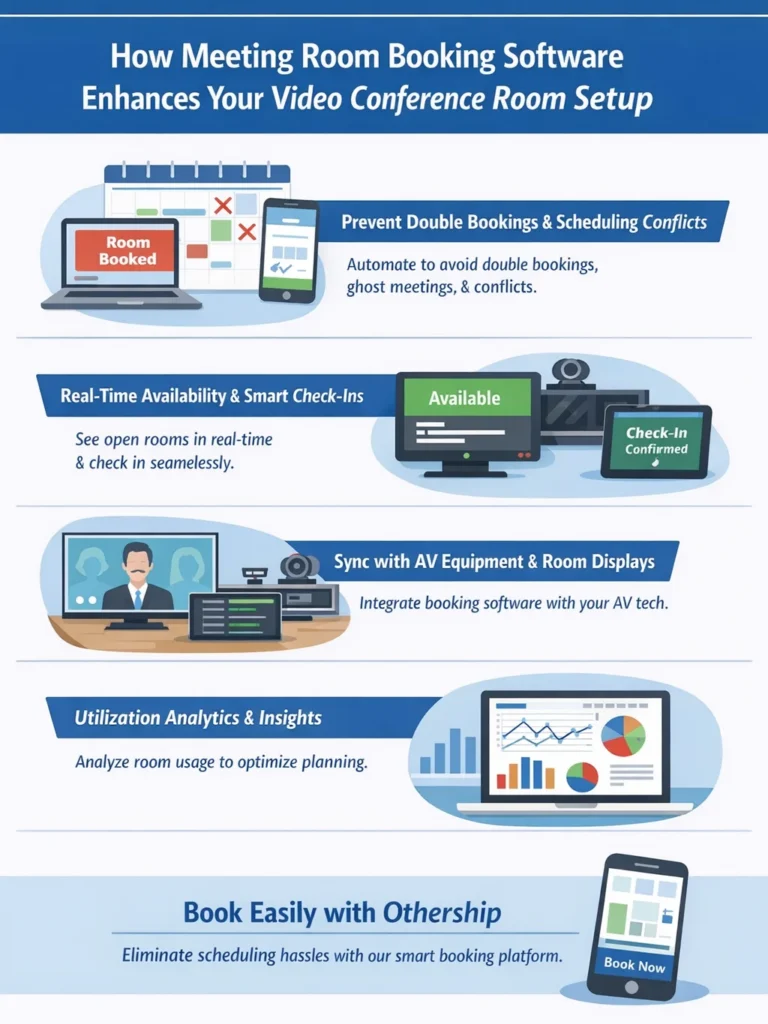
Prevent Double Bookings, Ghost Meetings & Scheduling Conflict
Automation prevents conference room booking issues immediately. Reliable tools enhance the consistency of meeting room solutions, and intelligent systems eliminate misunderstandings.
Real-Time Room Availability & Check-In Solutions
Visibility tools improve conference room booking transparency, and real-time dashboards encourage adoption of meeting room solutions. Even so, leaders still make the final decisions.
Syncing Booking Software with AV Equipment & Room Displays
The integrations are one step forward through booth sales. It is through this connection that the meeting room solutions get new responsive features. Utilizing the advanced technology, the rooms themselves are able to adjust the settings without any manual operation.
Conference Room Utilization Analytics for Smarter Decisions
Analytics are powerful tools for booking conference rooms and supporting better decisions. By visualizing usage patterns, leaders gain clearer insight into how meeting room solutions are used, and data helps guide improvement. At the planning level, reports refine conference room booking strategies, while insights optimize forecasting—leading to stronger strategies and better outcomes.
Conference Room Layout Templates for Different Room Sizes
Room templates support effective conference room layout planning, giving leaders flexible options and scalable layouts that lead to better outcomes. Because room needs vary, having different size plans for both large and small spaces is essential.

With intelligent arrangement choices, teams stay more aware, and sturdy setups keep processes running smoothly.
Huddle Room Setup (1–4 People)
Huddle rooms focus on simple conference room layout options, with minimalist designs that improve efficiency and make small meeting spaces feel more connected. Since seating is limited, precise placement becomes essential.
As a result, focused arrangements improve layout clarity and help tight configurations enhance communication.
Small Conference Room Setup (4–8 People)
Small rooms need a balanced layout with strategic seating to keep meetings consistent and support hybrid calls. Center the display for clear visibility, and position screens or projectors correctly. Match the setup to the meeting purpose to keep participants comfortable.
Medium Conference Room Setup (8–14 People)
Medium rooms require careful planning for the conference room layout. Seating that is not only side-by-side but also facing one another will enhance interaction. Meeting room configurations that allow for movement and communication build a sense of belonging among the participants.
Large Conference Room Setup (14–20+ People)
Large conference rooms need strong layout clarity. Clear spacing keeps the room aligned and easy to follow. Knowing larger setups can be more complex, they require smart, proactive planning.
Meeting Room Setups for Training, Workshops & Webinars
Training styles require custom conference room layout solutions. Interactive spaces encourage participation, while movable arrangements allow free movement.
For workshops, open layouts are essential. Versatile setups support active meetings, and varied room settings match different activities.
Best Practices for Conference Room AV Setup & Maintenance
The installation of the conference room AV systems has been ensured by constant maintenance. The conference room audiovisual system has been made more reliable by continuous improvements.
The good practice of strong habits fortifies the conference room’s performance in terms of AV setup. Structured standards elevate conference room installation quality. With clear expectations in place, audio-video setup outcomes improve
AV Calibration & Testing Before Every Meeting
Testing ensures that the performance of the installation in the conference room is very good. Calibration makes the audio-video setup of the conference room clearer. Regular inspections yield the reliability of the AV setup in the conference room.
Preventive Maintenance for Long-Term Equipment Health
Preventive work prolongs the life of the conference room installation. Maintenance done regularly keeps the conference room audio-video setup stable. The technicians work on the resilience of the conference room installation to sharpen a setup for conference room reliability.
Cable Management for a Clean, Professional Look
Clean cable management enhances conference room installation presentation. Organized wiring boosts the reliability of the conference room audio-video setup. Moreover, neat structures act as shields for the AV setup, ensuring the conference room remains efficient.
Meeting Room Etiquette & User Training
Training enhances conference room installation usability. Clear guidance makes conference room audio-video setup results better. Many users, meanwhile, support the AV setup for the conference room to last longer.
Etiquette encourages respectful conference room installation use. Proper habits protect conference room audio-video setup equipment. Polite behaviors strengthen AV setup for conference room preservation.
The Future of Smart Conference Rooms & AI-Driven Meeting Spaces

AI is an integral part of the modern smart conference room ecosystems. The automated intelligence gives an edge in smart conference room technology responsiveness to the leaders.
Integrated automation is turning the smart conference room design upside down. The intelligent improvements are invigorating the smart conference room technology’s performance. That said, organizations are operating at a seamless level thanks to the above-mentioned.
AI Scheduling & Predictive Booking Systems
AI is the one that increases the smart conference room booking precision. Predictive systems elevate smart conference room technology reliability. The predictive tools facilitate the distribution of smart conference room technology to the whole area. In this way, the teams get a hassle-free experience in terms of scheduling.
Behavioural Analytics for Better Room Design
Analytics reshape smart conference room configurations. User behavior gives a better understanding of the smart conference room technology. The heat maps help to create better smart conference room layouts. Data-driven decisions refine smart conference room technology applications. Rooms match real needs.
Automated Room Preparation (Lights, Layout, Displays)
Automation calibrates smart conference room readiness. Predictive tools adjust smart conference room technology instantly. Lighting automation also enhances smart conference room comfort. With quick adjustments, smart conference room technology user experience is refined.
Autonomous Meeting Rooms by 2027
Future rooms can self-manage smart conference room operations through intelligent systems that expand technology capabilities and build leader trust in automation. As robotics advances, automated devices enhance interaction across the room—so spaces can operate more independently.
Conclusion: Build a Modern, Efficient, Future-Ready Conference Room
Modern workplaces rely on smart conference room solutions to support hybrid collaboration. With reliable meeting room technology in place, productivity increases across the organization, and dependable video conferencing equipment keeps workflows consistent.
To stay ahead, forward-thinking teams invest in scalable solutions that improve performance and help leaders manage hybrid work with confidence. And to make rooms even smarter, room booking software streamlines scheduling, prevents conflicts, and keeps your meeting spaces future-ready.
All your meeting room scheduling problems can be solved with Othership’s Room Booking Software. The time has come to start.
FAQs About Conference Room Setup for Video Conferencing
1. What basic components are essential for an effective video conferencing setup in a conference room?
A high-performing video conferencing room requires reliable video cameras, displays, quality microphones and speakers, stable networking, and suitable AV integration to connect with conferencing platforms. These elements ensure clear visuals and audio for both in-room and remote participants.
2. How should I choose the right layout and size for a video conference room?
Select the room layout based on its purpose and number of participants. Small huddle rooms (2–4 people) benefit from compact cameras and displays, whereas mid-size or large rooms need scalable AV equipment and camera coverage that captures all attendees. Appropriate spacing and sightlines improve engagement and usability.
3. What are common mistakes to avoid when setting up a video conferencing room?
Avoid poor camera placement, ignoring acoustics, weak lighting, and inadequate network bandwidth. These can make meetings less effective, cause dropped calls, or frustrate participants. Testing technology before key meetings and calibrating equipment regularly helps avoid technical issues.
4. What role does conferencing software choice play in a conference room setup?
The video conferencing platform (e.g., Teams, Zoom, Google Meet) influences hardware compatibility and user experience. Choose software that integrates easily with your AV hardware and supports features like screen sharing, annotations, and multi-participant view. Compatibility ensures smoother meetings with fewer technical adjustments.
5. How can meeting room management software improve the video conferencing experience?
Meeting room booking and management tools help prevent double bookings, show real-time availability, and sync with room displays and AV systems. These tools also provide analytics for better utilization and coordination of resources across hybrid teams.


You must be logged in to post a comment.