

Offices have become dynamic places. They are dynamic systems in which people, space, data, and schedules interact all the time. Organizations require well-organized systems, which synchronize workflows, space distribution, communication, and real-time decision-making, to work effectively. This is where office automation systems play a critical role.
This article explains what office automation is, how automation works across departments and physical workplaces, and why it is essential for hybrid and modern offices. It naturally connects desk booking tools, meeting room booking software, and room booking system solutions as operational layers within a larger automation framework.
Contents
- 1 What Is Office Automation?
- 2 How Office Automation Works in Modern Workplaces
- 3 Types of Office Automation Systems
- 4 Office Automation Examples in Real Workplaces
- 5 Benefits and Importance of Office Automation
- 6 Office Automation Software vs Office Automation Tools
- 7 Office Automation and Hybrid Work Environments
- 8 Conclusion – Office Automation as a Workplace Operating System
- 9 FAQ’s About Office Automation
- 9.1 What is office automation in simple terms?
- 9.2 What does office automation mean for hybrid offices?
- 9.3 What is the purpose of an office automation system?
- 9.4 What are the main types of office automation?
- 9.5 How is office automation software different from office automation tools?
- 9.6 How does office automation improve space utilization?
- 9.7 What are real-world office automation examples?
- 9.8 Can desk booking be part of office automation systems?
- 9.9 Is meeting room booking software considered office automation?
- 9.10 How do office automation systems support future workplaces?
What Is Office Automation?
Understanding what office automation is begins with clarifying the entity itself. Office automation is not simply about digitizing paperwork or installing productivity apps. It is defined as the organized application of interrelated digital processes that simplify the manner in which office processes are implemented, tracked, and optimized.
The office automation definition centers on coordination. It entails the substitution of manual and fragmented workflows by integrated systems that handle communication, scheduling, approvals, space allocation, and flow of information. Properly applied automation will form a part of the operational backbone of the workplace. The plan of automated processes is the deliberate cause that accommodates everyday work performance on administrative, spatial, and coordination planes.

Office Automation Definition and Meaning
Office automation is the systematic use of connected digital workflows to manage, execute, and monitor office operations with minimal manual intervention. This applies specifically to office environments. It deals with administrative coordination, routing of communication, scheduling logic, document handling, and workspace management.
In this case, the meaning of automation refers to the reliability of the process, rather than robotics or industrial equipment.
What Is an Office Automation System?
An office automation system is a centralized framework that connects multiple workflows into one coordinated operational environment. Rather than isolated tools performing separate tasks, office automation systems unify scheduling, communication, task routing, and space coordination under a shared logic layer.
It ensures visibility across operations. Leaders are able to observe usage patterns. Real-time availability can be accessed by the employees. Managers no longer have to chase approvals, capacity, and workflows manually.
Structured office automation systems create interconnected workflows. To take an example, when an employee sets up a meeting, the process of room booking, calendar update, notification of participants, and access organization is done automatically within a single system.
It is a system-first approach, differentiating automation and mere digitization. An excel sheet in the cloud is not automation. An automated system level is indicated by a workflow that dynamically manages room capacity, sends notifications to the attendees, logs utilization, and unites access control.
How Office Automation Works in Modern Workplaces
An automated office operates through connected triggers and responses. Workflows are triggered by predetermined rules and real-time information instead of waiting to be manually instructed.
Here is how office automation technologies typically function in sequence:
- An incident at the workplace takes place (meeting scheduled, desk booked, visitor booked).
- The system handles the event as per the logic workflow.
- There are automatic notifications, updates, and space allocations.
- Information is recorded to be used in reporting and in decision-making.

These steps could take emails, calls, and manual confirmations in a traditional office. In an office automatic setting, these steps are incorporated into the workflow.
As an example, a team member will visit the office; hence:
- Desks are updated in real time.
- The limit of capacity is auto-adjusted.
- Occupancy is reflected by meeting spaces.
- Managers can have a glimpse of anticipated attendance.
This does not involve the implementation of additional software. It concerns organizing operational reasoning so that work is done without human coordination being repeated.
Core Components of an Automated Office
An automated office operates through four foundational components:
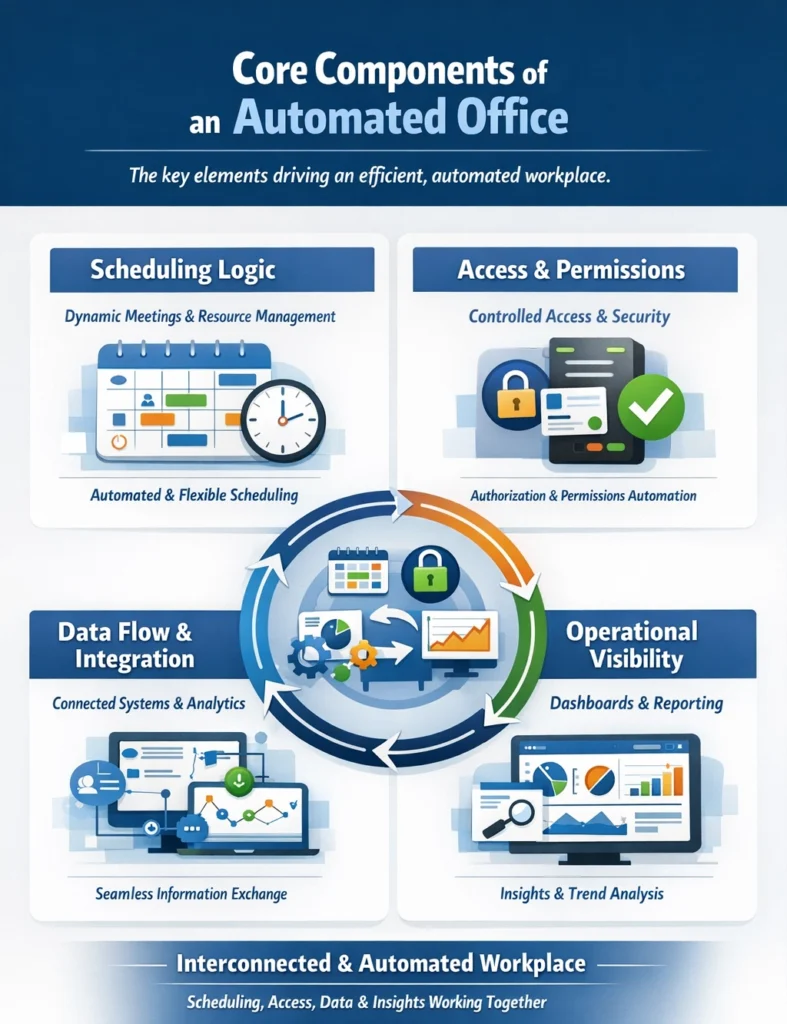
1. Scheduling Logic
Meetings, desk reservations, shared resources and attendance coordination are all controlled by automated scheduling. Scheduling is dynamic rather than having fixed calendars; the availability and usage status are shown on the schedule.
2. Access and Permissions
Automation makes sure that authorization is done so that only authorized people can access certain resources. System permissions can match a reservation when a person books a meeting room.
3. Data Flow and Integration
Information travels across systems automatically. Space usage metrics are related to attendance data. Capacity planning is informed by the reservation data. This data flow is a defining trait of modern office automation technologies.
4. Operational Visibility
Dashboards and reporting layers give an idea of the trends of usage, peak occupancy, and performance of the workflow. Visibility helps the leadership step out of assumption-based decision-making to evidence-based planning.
These are continuous components that interact. Scheduling activates access permissions. Occupancy data is updated with reservations. Data informs space planning. This communication forms a coordinated organizational framework.
Office Automation vs Traditional Office Management
Examine the comparison between manual and automated environments. In traditional office management:
- Meeting rooms are booked twice.
- The employees are seeking available desks.
- Managers work on manual reports on attendance.
- Approvals go slowly down email lines.
- The use of space is not measured but estimated.
On the other hand, automation introduces structured predictability. The benefits of automation emerge when workflows operate without repeated follow-ups. Reminder emails are substituted with automated messages.
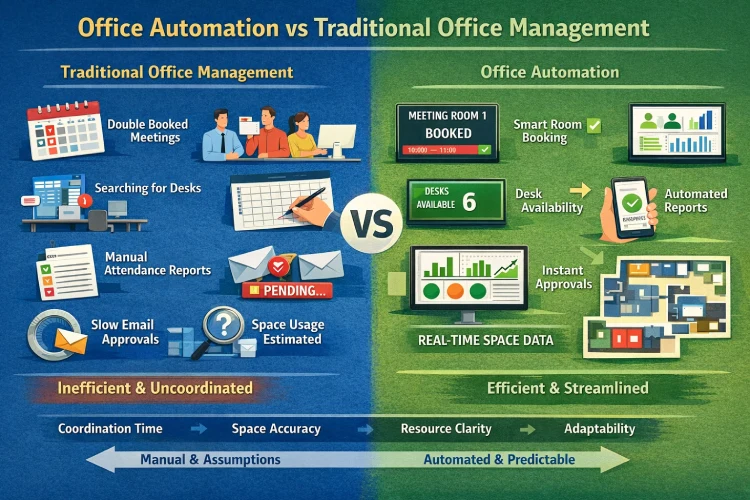
Space reservations are not assumptions but real occupancy that affects:
- Time spent coordinating logistics.
- Accuracy of space planning
- Clarity of resource allocation
- Responsiveness to change
In relation to the means of automation in the workplace activities, it is the friction cut in a predictable kind of processing. The leadership is not eliminated by automation. It eliminates unneeded manual coordination.
Types of Office Automation Systems
Instead of categorizing according to technology, one should categorize according to the purpose of operations. The categories deal with a particular layer of operation. The primary types of office automation systems include:
- Automation of administrative and workflow.
- Automation of space and resources.
- Automation of the routing of communications.
- Automation of data and reporting.
Administrative and Workflow Automation
The initial step that organizations take is administrative automation. This category of types of office automation includes:
- Approval routing
- Automated notifications
- Task assignments
- Coordination of internal scheduling.
- Digital document handling
These office automation tools structure repetitive administrative tasks so they follow consistent logic. As an example, the routing of expense approvals may occur automatically to the relevant manager. Scheduling requests will cause a change in the calendar and visibility of staffing.
Administration automation is valuable due to consistency. Workflow is standardized between departments, and this lowers confusion and reliance on manual control. However, administrative automation alone does not create a fully automated office. It should be able to interface with other working layers, especially space and resource management.
Space and Resource Automation
Space automation represents a critical evolution in office automation software. Physical resources in hybrid workplaces should be dynamic. Furniture, boardroom, work zones, and common facilities are used differently on a daily basis. A modern office automation system example within this category includes:
- Real-time desk availability
- The availability of automated meeting space reservation.
- Capacity tracking
- Usage reporting
- Conflict prevention logic
This is where desk booking tools and a room booking system operate as automation layers within a broader system. Instead of being independent scheduling characteristics, they coordinate:
- Attendance data
- Room capacity rules
- Reservation visibility
- Workplace analytics
For example, leadership can predict occupancy when employees book desks ahead. Space utilization is enhanced when meeting rooms are automatically released when not used. Space automation is not a non-dispositional infrastructure. It is a structural condition of coordination in the workplace in modernity.
See how office automation works in real workplaces. Discover the automated desks and meeting rooms that will help organize the people and space smartly.
Office Automation Examples in Real Workplaces
The next step is examining office automation examples in realistic workplace environments. Cases of understanding how automation works in day-to-day activities are prominent in the case of hybrid and shared offices.
This is not just focused on showcasing features, but illustrating the outcomes of operations as well. Strong examples of office automation show how coordination improves when workflows are connected.
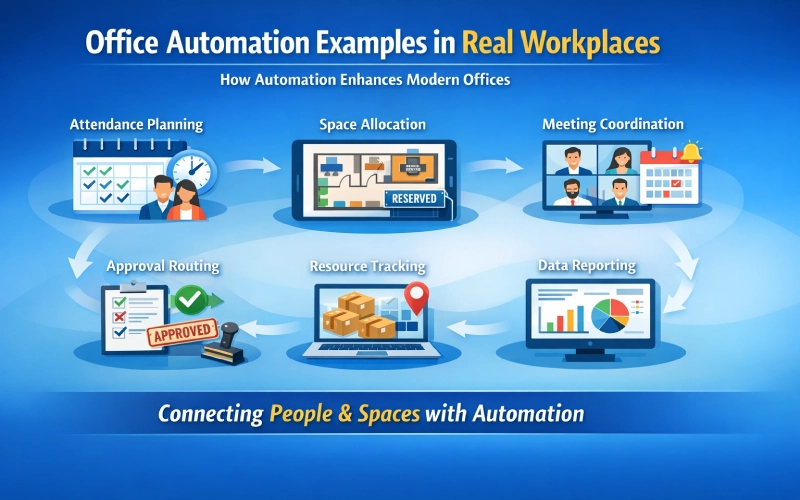
Automation is applicable in the modern workplaces in the areas of:
- Attendance planning
- Space allocation
- Meeting coordination
- Approval routing
- Resource tracking
- Data reporting
Each example reflects a broader office automation system example, where automation operates across people and space simultaneously.
Examples of Office Automation in Daily Operations
The following are the office automation examples drawn from real-world office scenarios.
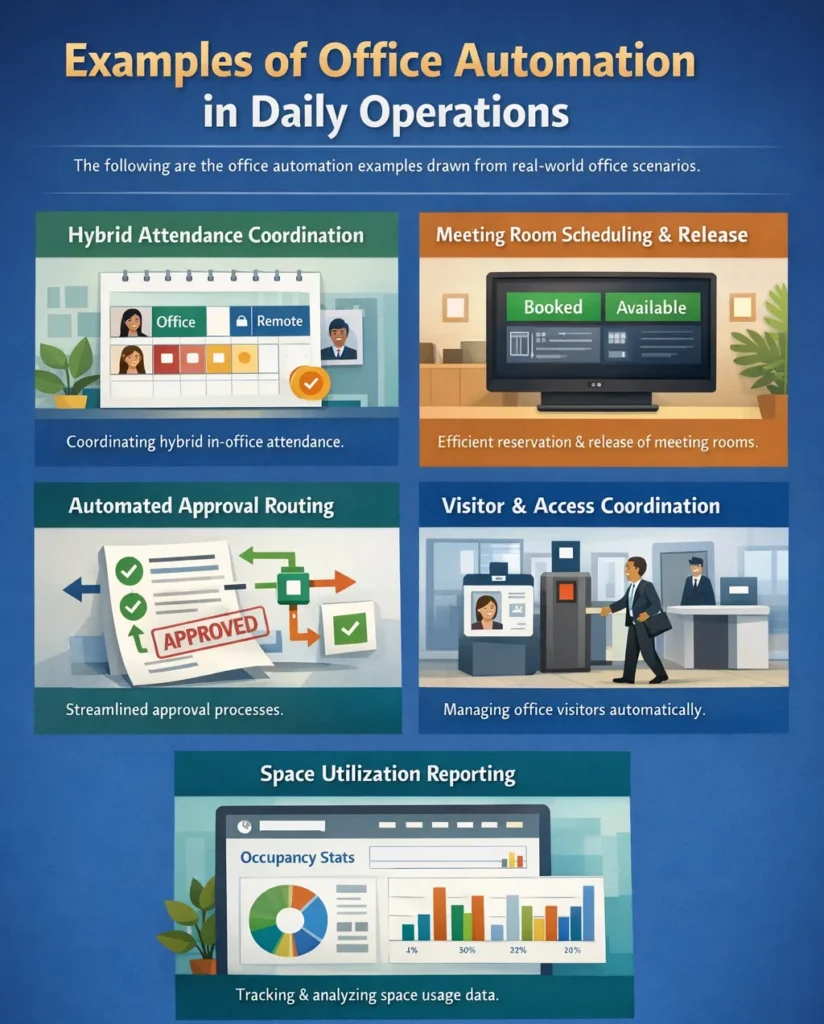
1. Hybrid Attendance Coordination
A hybrid environment is where the employees choose the in-office days depending on the need to collaborate. Manual confirmations are used to estimate attendance by the managers, without automation.
2. Meeting Room Scheduling and Release
Meeting rooms in traditional offices are usually cancelled or unused even when they have been booked. This office automation system improves operational reliability. The employees have confidence that rooms will be booked, and the leadership will have quantifiable information on the real usage trends.
When meeting room booking software integrates into a broader office automation system, the meeting lifecycle — scheduling, notifications, attendance tracking, and reporting — becomes synchronized.
3. Automated Approval Routing
Manual offices are normally confronted by administrative processes. Expenses, purchases, and leave requests tend to hang in mailboxes. Administrative types of office automation address this challenge by forwarding our requests to the appropriate approver and send alarms in case there is lateness of action.
The result is an anticipated workflow. Automation does not do away with managerial inspection; it organizes it.
4. Visitor and Access Coordination
Visitor management in offices where clients/partners visit poses a security and coordination risk due to manual visitor handling. With this, tourists make reservations ahead of time and host notifications become automatic.
This scenario represents another office automation example, where workflow consistency improves both security and professionalism.
5. Space Utilization Reporting
One of the most impactful examples of office automation involves reporting.
In manual settings, leadership determines the frequency of desk or room utilization. These assumptions tend to cause over-leasing or under-utilization of space. With connected office automation systems there is automatic aggregation of reservation data. Moreover, there are occupancy trends presented in dashboards.
Informed decision-making replaces intuitive decision-making. This reporting feature has a direct effect on real estate strategy and cost management.
Benefits and Importance of Office Automation
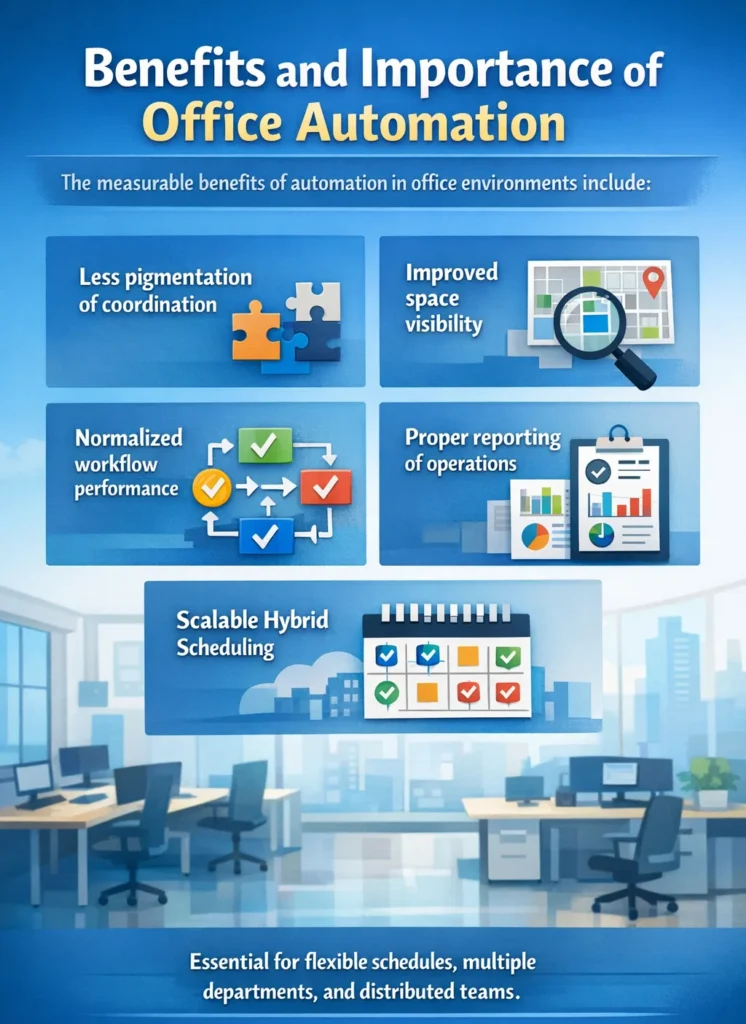
The importance of office automation lies in operational clarity. Although productivity improvement is frequently mentioned, structural predictability is the greater good. The measurable benefits of automation in office environments include:
- Less pigmentation of coordination.
- Improved space visibility
- Normalized workflow performance.
- Proper reporting of operations.
- Scalable hybrid scheduling
All advantages are related to an essential working issue that modern offices have to deal with. Automation is particularly relevant in situations where organizations are flexible in their schedule of operation, have more than a single department, or are composed of distributed teams.
Why Office Automation Is Important for Modern Offices
Contemporary work environments are not comparable to old offices. Flexible attendance, hybrid schedules, and collaborative space models generate the complexity of coordination. The importance of office automation increases when:
- Office attendance varies on a daily basis.
- There is a scarcity of shared resources.
- There is a need for cross-team work in departments.
- Leadership requires proper usage statistics.
Uncoordinated automation means that coordination is based on informal communication. This adds to the burden of administration and decreases reliability. The benefits of automation in modern offices include operational Predictability, capacity control, data-based planning, and reduced manual oversight.
How Does Office Automation Save Space?
In traditional offices, companies tend to lease space depending on the highest possible attendance and not necessarily on the actual usage. This results in:
- Empty desks on many days
- Underused meeting rooms
- Poor distribution of square feet.
- Automation alters this situation.
When desk booking tools operate within a broader office automation system, organizations can:
- Monitor actual attendance patterns.
- Determine days of peak and low demand.
- Measure desk occupancy rates.
- Space allocation should be optimized.
Similarly, a connected room booking system provides insight into:
- Average meeting size.
- Room utilization frequency.
- Peak reservation hours.
- No-show patterns.
The analysis of automated data on usage allows companies to:
- Reduce excess desks.
- Repurpose unused spaces into spaces of collaboration.
- Modify layouts according to actual requirements.
- Unnecessary real estate expansion should be avoided.
This is how office automation saves space, through measurable utilization intelligence. The streamlined organization in the workflow is not a lucky accident but a strategic result, which achieves space efficiency.
Office Automation Software vs Office Automation Tools
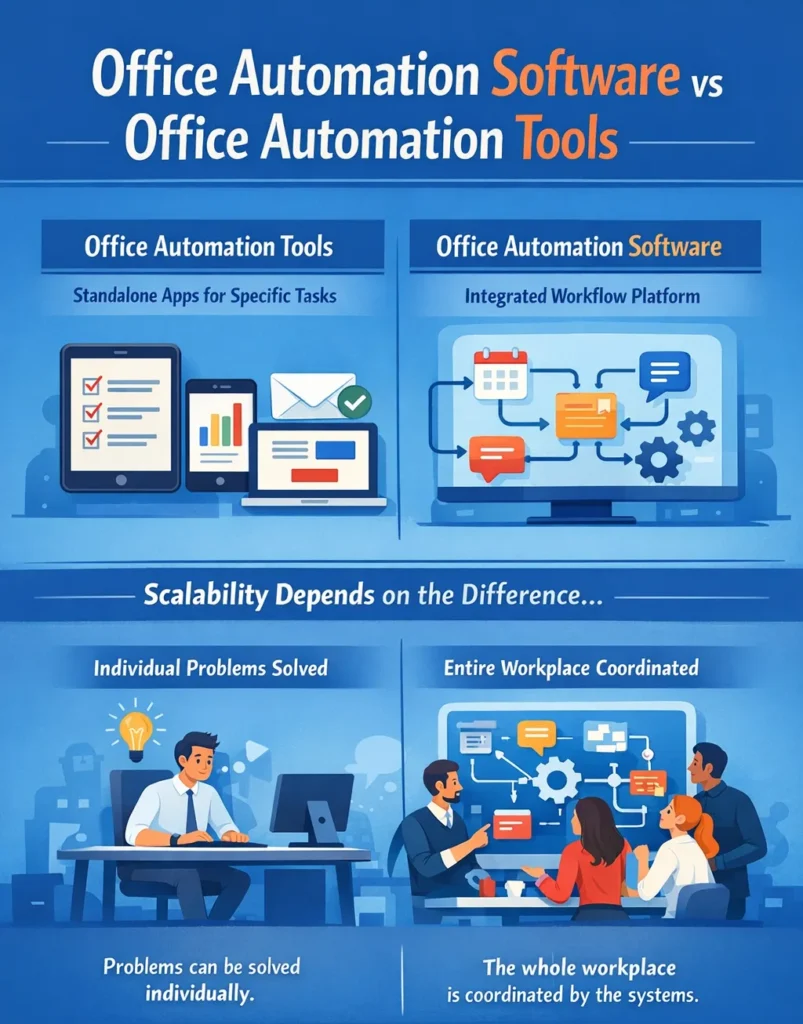
A common source of confusion involves the difference between office automation software and office automation tools. They are both used to the automation, but they have structural differences.
- Office automation tools are standalone applications designed to perform specific tasks.
- Office automation software refers to integrated platforms that connect multiple workflows into a unified operational system.
Scalability is dependent on the distinction. Problems can be solved individually. The whole workplace is coordinated by the systems.
The Difference Between Tools and Systems
An individual calendar app may qualify as one of many office automation tools. It aids in scheduling meetings, but does not always cooperate with capacity planning or reporting. By contrast, structured office automation software connects scheduling logic, space management, workflow routing, and data reporting.
This integration transforms separate tools into coordinated office automation systems. Tools alone do not scale because data remains fragmented, the manual consolidation is necessary in reporting, and there is low interdepartmental visibility
Systems-first thinking is a solution to these constraints, with workflow logic being implemented at the infrastructure level. In hybrid offices, more complexity in coordination is likely to arise due to the use of disconnected tools. A networked system eliminates redundancy and adds clarity.
Office Automation and Hybrid Work Environments
The logic of office operation has been transformed by hybrid work. Traditional workplaces had predictable attendance. In mixed environments, the occupancy changes on a daily basis depending on the need to collaborate, project cycles, and the preferences of teams.

This change adds complexity to coordination. An automated office becomes essential when employees are not present at the same time. Unless implemented with structured working processes, hybrid scheduling yields:
- Desk shortages on peak days
- Unutilised workstations during low-demand days.
- Meeting room congestion
- Weak transparency on the location of people.
Modern office automation technologies solve this coordination gap by synchronizing attendance, space, and scheduling logic. To facilitate the hybrid environment, automation serves as the working nervous system. It connects:
- Who is coming in
- When they arrive
- Where they will work
- What spaces do they need?
Automation incorporates coordination rules into the system rather than through manual communication or informal planning. Hybrid work makes work more variable and automation brings about stability.
Automation’s Role in Hybrid Office Management
Automation in hybrid environments is never a question of convenience; it is an operational structure. An automated office in a hybrid model typically manages:
- Advance desk reservations
- Meeting room allocation
- Attendance visibility
- Capacity compliance
- Usage analytics
Suppose there is a real-world situation. A marketing department sets up a joint planning meeting. Employees report the day they are in the office. Through integrated office automation technologies, the system:
- Shows live availability of desks.
- Bookings for space clubbing size.
- Refreshes the attendance dashboards.
- Reporting data on log occupancy.
- Auto-adjusts capacity thresholds.
This coordination isn’t enough through manual control. Variability in hybrid environments requires automation to deal with:
- Departments
- Seniority levels
- Project timelines
- Collaboration frequency
Without a structured office automation system, these variables create inefficiencies. With automation, shared spaces operate in a predictable manner despite a change in attendance trends on a weekly basis.
Conclusion – Office Automation as a Workplace Operating System
Office automation isn’t about adding more tools, it’s about creating a smoother way for work to flow. When workflows, schedules, and spaces are connected, teams spend less time coordinating and more time getting real work done. The office becomes easier to navigate, more predictable, and far less reactive.
As workplaces become more flexible, automation turns into a foundation rather than an upgrade. Hybrid schedules and shared spaces need systems that can adapt without confusion or manual effort. Done right, office automation supports growth, smarter space use, and clearer decisions without adding complexity.
Build an automated office with structured room booking software and coordinated workflow systems. See how Othership supports modern office automation through intelligent desk and meeting room management designed for hybrid workplaces.
FAQ’s About Office Automation
What is office automation in simple terms?
Office automation is the use of connected digital workflows to manage office tasks and coordination with minimal manual effort. It organizes the way that scheduling, approvals, communications and space management are performed throughout the workplace.
What does office automation mean for hybrid offices?
In hybrid offices, office automation refers to coordinating fluctuating attendance, shared spaces, and scheduling through structured systems. It makes it visible and predictable even if employees do not work on-site every day.
What is the purpose of an office automation system?
The purpose of an office automation system is to centralize workflows so that processes move consistently and transparently across teams and spaces. It gives visibility of the operations, minimizes the friction in coordination, and facilitates decision making with data.
What are the main types of office automation?
The main types of office automation include administrative workflow automation, space and resource automation, communication routing, and reporting systems. There is a category that deals with a certain layer of operations in the workplace.
How is office automation software different from office automation tools?
Office automation software connects multiple workflows into a unified operational framework. In contrast, office automation tools typically perform isolated tasks without integrating into a centralized system.
How does office automation improve space utilization?
Office automation improves space utilization by tracking real-time occupancy and reservation data. This visibility enables organizations to rearrange layouts, optimize desk space, and avoid unused meeting rooms.
What are real-world office automation examples?
Real-world office automation examples include automated desk reservations, meeting room scheduling with conflict prevention, approval routing, and capacity tracking. These processes are working under related systems as opposed to manual coordination.
Can desk booking be part of office automation systems?
Yes, desk booking can function as a layer within broader office automation systems. It can be combined with the attendance information and reporting dashboards to enable predictive space planning and hybrid coordination.
Is meeting room booking software considered office automation?
Meeting room booking software is considered office automation when it operates within a connected workflow system. When combined with control of capacities, notification, and reporting, it will be included in an organized automation infrastructure.
How do office automation systems support future workplaces?
Office automation systems support future workplaces by enabling flexible scheduling, scalable coordination, and data-informed decision-making. They offer the functional framework needed in the development of the hybrid and space optimization strategies.


You must be logged in to post a comment.