

Modern workplaces struggle with a persistent meeting room scheduling problem that slows decision-making. These meeting room booking problems make it harder for teams to work together and get things done. That’s why leaders need a room scheduling system that is well-organized, simple to use, automated, and under their control so they don’t have to guess.
Contents
- 1 Understanding the Meeting Room Scheduling Problem in Modern Workplaces
- 2 Common Meeting Room Scheduling Problems Companies Face
- 3 How Meeting Room Scheduling Problems Impact Workplace Productivity
- 4 Modern Solutions to Meeting Room Scheduling Problems
- 5 How Meeting Room Booking Software Solves Every Scheduling Problem
- 6 Key Features to Look for in a Room Booking Management Software
- 7 The Role of Conference Room Technology in Better Scheduling
- 8 Implementing a Room Scheduling System in Your Workplace
- 9 Conclusion: Eliminate Meeting Room Scheduling Problems With the Right Technology
- 10 FAQs: Meeting Room Scheduling Problems
- 10.1 1: What is the root cause of most meeting room scheduling problems in hybrid workplaces?
- 10.2 2: How do ghost meetings impact productivity and space utilization?
- 10.3 3: Why aren’t shared calendars enough for managing meeting room bookings today?
- 10.4 How does meeting room booking software reduce operational friction across departments?
- 10.5 5: What features matter most when choosing meeting room scheduling software?
- 10.6 6: How can companies measure whether their meeting room scheduling improvements are working?
Understanding the Meeting Room Scheduling Problem in Modern Workplaces
The meeting room scheduling problem often stems from unclear availability. Moreover, inconsistent communication and fragmented booking methods add to the challenge, especially in hybrid work environments where teams use shared spaces in unpredictable ways. Companies need to think of the meeting rooms problem as a strategic issue that has a direct effect on how well they run their businesses.
Manual calendars and spreadsheets make space scheduling even harder, as it scatters information across different tools. These outdated methods don’t work well for teams because they lack quick updates and real-time context. That said, leaders need systems that give them a complete view of bookings and support more flexible and informal planning.

As hybrid work becomes more complex, the need for smart space scheduling grows. People now use modern offices in ways that manual tools can’t keep up with. In environments where old approaches fall short, intelligent systems bring structure, clarity, and predictability to how spaces are used.
What Causes Meeting Room Scheduling Conflicts Today?
Teams can’t always see which rooms are open at all times and in all places, which causes problems. People who don’t talk to each other end up with the same schedule. Therefore, without centralized visibility, conflicts multiply and interrupt daily operations.
Why Manual Methods No Longer Work
Shared calendars don’t tell you how many people can fit, what equipment is available, or how many people are actually there. You can’t keep track of things in a spreadsheet for more than a few minutes after you put them in. Systems that don’t change break when you put too much pressure on them. This is because things move so quickly in the world today.
The Rising Need for Smart Space Scheduling
Smart scheduling tools show you when people are free, stop problems, and make things clear right away. These tools help leaders keep track of patterns and change spaces to fit how they are actually used. It is now a strategic must to switch to a technology-based schedule.
Common Meeting Room Scheduling Problems Companies Face
Companies should understand all the different meeting room scheduling problems before choosing a solution. These meeting room booking problems hurt productivity, morale, and operational efficiency. So it’s important for leaders to find every meeting room scheduling challenge and fix it with technology and a set of rules.

Double-Bookings, No-Shows & Overlapping Reservations
Double bookings waste time and disrupt planned discussions as well. When things are busy, people who don’t show up take up valuable rooms and teams get confused when reservations overlap.
Rooms Booked but Not Used (Ghost Meetings)
Ghost meetings inflate perceived demand. They starve teams of available space and exist because old systems lack automatic monitoring, updating, and auto-release functions. Companies lose usable capacity when the availability doesn’t update automatically.
Misaligned Room Sizes and Minimum Meeting Room Issues
Teams often reserve rooms that don’t actually fit their needs. Small groups end up taking large rooms, while bigger teams struggle to find suitable spaces. When room sizes aren’t matched to the right groups, the entire workplace becomes less productive.
Lack of Equipment & Setup Clarity in Meeting and Conference Rooms
When teams walk into rooms, they notice that there are no screens, adapters, or whiteboards. These mismatches make meetings go wrong, as well as force people to change their plans at the last minute. The equipment should always be shown during the booking process.
Ready to eliminate scheduling conflicts? Use Othership’s software to book a meeting room.
How Meeting Room Scheduling Problems Impact Workplace Productivity
Meeting room scheduling issues disrupt daily workflow and weaken team coordination. Employees lose time searching for available spaces and adjusting scattered calendars. With that, effective workplace technology reduces this friction and restores predictable operations through clearer scheduling controls.
Unclear availability often forces teams to delay decisions and reschedule discussions. These delays slow execution and weaken collaboration across departments. When organizations use effective meeting room tools, teams get reliable information, make decisions faster, and work together more smoothly.
Hybrid teams face added barriers because their communication depends on timely updates. Missed notifications cause overlaps. Thus, it undermines trust and overall productivity. Integrated collaboration apps and workplace technology bring real-time clarity and supports smoother and faster teamwork.

Lost Time & Reduced Collaboration
Teams waste a lot of time when meeting rooms are twice booked, as employees walk around the floors looking for available meeting rooms. These delays slow down the team’s progress. When people miss connections, they don’t trust each other as much, and teams do not work together as well. Better scheduling brings back flow, since it keeps important teamwork safe.
Poor Space Utilization & Higher Facilities Costs
Unused or misused rooms inflate operational and real estate expenses. Leaders cannot optimize costs without accurate data on occupancy. Manual tracking hides the true state of space utilization.
Interruptions & Workplace Friction
Fights in the room diminish trust and confidence, as it causes anger and frustration among team members. As a result, it is harder for employees to work together. Moreover, setting up meetings became much more difficult, because the work environment gets worse when members keep interrupting each other at work.
Modern Solutions to Meeting Room Scheduling Problems
With the help of modern office tools, teams can work together in a smart and planned way. A smart room scheduling solution keeps track of all the reservations in one place. It also stops conflicts and lets you know when rooms are available right away. These platforms help you plan your work and make it easier to know what to do.
Automating Room Scheduling With Software
Automation handles rules for making reservations. It limits how many people can be in a room, and it keeps people from getting in each other’s way. Software can keep track of schedules on its own, without any help from people. This makes things easier for the people in charge and more accurate.
Centralized Room Booking Across Teams
Everyone can see the same thing at the same time because they all use the same system. Centralization gets rid of tools that aren’t needed and updates that don’t always happen. Team members can work together better when they all have the same information.
Integrating Video Conferencing Solutions
There are a lot of ways that integrated video tools help people work together. People can start meetings without having to switch apps. People who work from home and in the office can get along with each other without any problems.
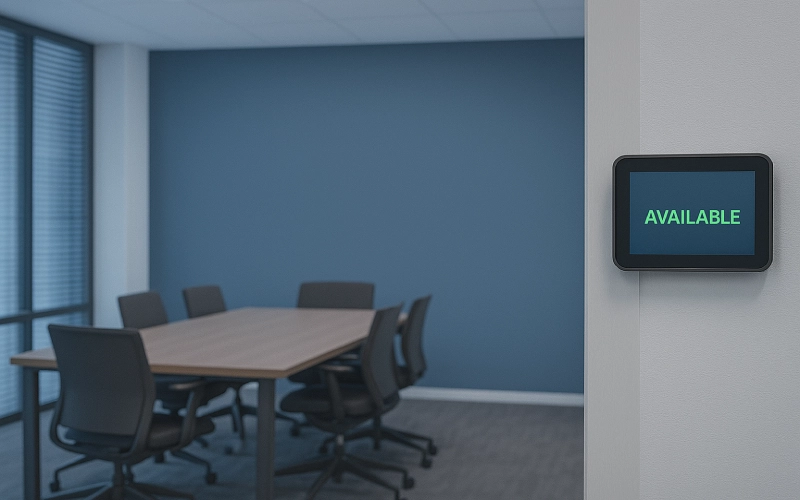
Real-Time Room Availability Through Displays
Digital signs outside each room let you know if it’s available right away. People can’t accidentally walk in because of these signs, and they make things clearer. Workers can make decisions faster when they have the right information.
How Meeting Room Booking Software Solves Every Scheduling Problem
A good meeting room booking system can fix problems with the structure that manual tools cannot. The meeting room software keeps track of everything in one spot. It brings together information about room availability. Moreover, the details about available equipment and occupancy are also available. This meeting room technology keeps things clear and stops fights, making sure the schedule is always up to date.
Smart Conflict Prevention With Automated Rules
Automated rules make sure that reservations don’t get in each other’s way. Users are immediately notified if there are any problems with their booking before they confirm it. This keeps the schedule discipline going without any problems.
One-Click Booking for Any Meeting Space
Users can book rooms instantly based on availability and capacity. You can plan faster and make fewer mistakes when the interfaces are simple. Teams don’t worry about the details; they just get the job done.
Equipment, Capacity & Layout Visibility
Clear equipment lists prevent surprises during meetings. Employees understand room setups before booking. That said, decision-making becomes more informed and reliable.
Sync With Facilities & Workplace Management Apps
Apps for managing workplaces and facilities that work together link scheduling information with tools for cleaning, maintaining, and the workplace. Facilities teams get information right away that helps them make better plans. This synchronization makes everything in the office run more smoothly.
Key Features to Look for in a Room Booking Management Software
Companies should choose room booking management software that makes it easy for them to run their business. And it should make changes when they need to. A strong facilities management app should be able to update information in real time. It automates tasks and gives detailed analytics. Thus, effective software for office management drives predictable scheduling outcomes.
Real-Time Displays & Digital Signage
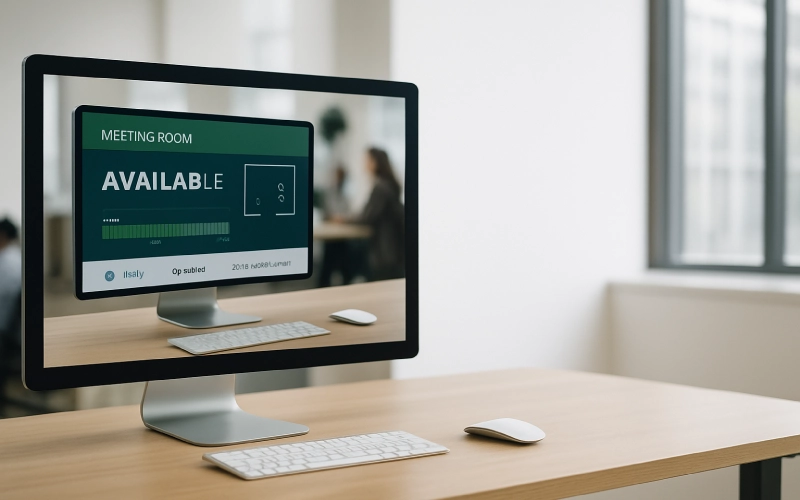
Digital signs and displays that work in real time show what is available and how to book right away. Teams should be able to quickly find the information they need. This helps you make a choice and keeps you from getting sidetracked.
Auto-Release of Unused Rooms
Auto-release stops ghost meetings by letting people leave rooms when no one else is there. The system updates its own availability and quickly restores lost capacity as well.
Integrations With Workplace & Collaboration Tools
Integrations link booking information to messaging apps like Slack and Teams. Employees read the news on sites they have already visited. This means working together is easier and faster.
Analytics for Space Utilization
Analytics can show you preferred spaces, which ones are in high demand, and areas that are unused at all. These tips help leaders make the most of their money and space. It is better to use space based on data.
The Role of Conference Room Technology in Better Scheduling
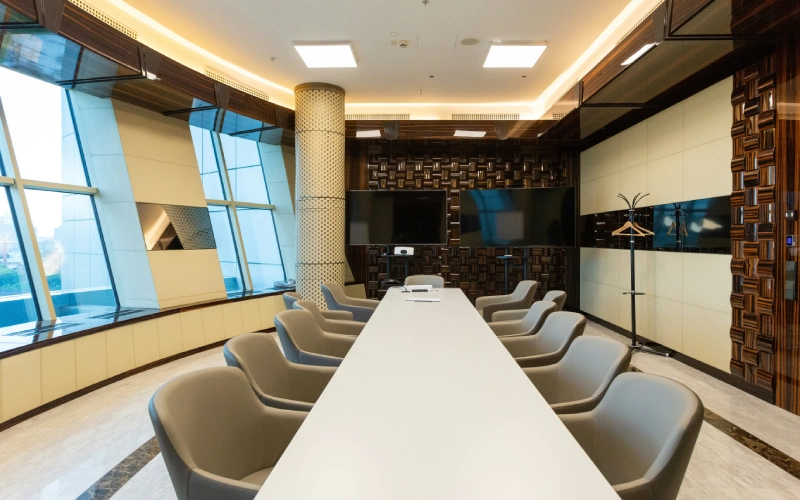
Modern conference room technology makes scheduling more reliable by connecting devices, sensors, and displays. With advanced meeting and conference room technology, you can get real-time information that makes it easier to work together in meeting and conference rooms. Businesses can have meetings that run more smoothly and on time by using cutting-edge conference room technology.
Touch Panels for Instant Room Booking
Employees can book rooms right away and automatically by using touch screens outside of rooms. They just have to tap once to let you know they are available. This makes everything clear and keeps work from getting stuck.
Occupancy Sensors for Accurate Availability
The sensors change the status of the room by themselves, since they detect actual usage and release rooms when empty. This makes sure that availability is both correct and adaptable.
Syncing Tech With Workplace Analytics
Analytics platforms use data from sensors to show how things are used. These tips will help you make better use of your space. As a result, technology becomes a strategic asset in workplace design.
Implementing a Room Scheduling System in Your Workplace
Businesses need a room booking system as part of their structured change management. A modern room scheduling solution makes messy tasks into smooth workflows. The long-term performance of the workspace room booking software will depend on how well it is set up.
Transitioning From Manual Tools to Automation
The first thing to do is figure out what the problems are. And then, automate tasks that are currently done manually. Everyone has to follow the rules and booking policies that the leaders set. When everyone on a team does the same things, they do better.
Training Teams for Smooth Adoption
Employees find it easier to use tools when they get training. When people get clear instructions, they are less likely to fight back and more likely to accept. People are more likely to use things when their leaders talk to them a lot.
Measuring Success Through Space Utilization
Success requires monitoring usage patterns, room occupancy, and booking behavior. This data reveals clear opportunities for improvement, which allows leaders to adjust policies based on measurable insights.
Conclusion: Eliminate Meeting Room Scheduling Problems With the Right Technology
Every meeting room scheduling problem becomes manageable with structured workflows and modern tools. The right room booking software changes how people work together and makes scheduling easier. With forward-thinking technology, companies can better prepare for the demands of hybrid work.
With Othership’s Room Booking Software, you can put this into practice. Plus, you can solve all of your meeting room scheduling problems with Othership’s Room Booking Software. It’s time to get going.
FAQs: Meeting Room Scheduling Problems
1: What is the root cause of most meeting room scheduling problems in hybrid workplaces?
Most scheduling problems come from fragmented information systems—where availability, occupancy, and equipment details live in separate tools. In hybrid workplaces, this fragmentation intensifies because on-site and remote employees operate asynchronously.
Without centralized real-time data, booking conflicts, ghost meetings, and misaligned room usage multiply. A modern room booking system resolves this by consolidating data, syncing updates instantly, and eliminating hidden conflicts before they occur.
2: How do ghost meetings impact productivity and space utilization?
Ghost meetings artificially reduce available capacity and distort demand patterns. When rooms remain “booked” but empty, teams assume no space exists—even if multiple rooms sit unused. This causes walkarounds, delays, and disrupted workflows.
Over time, facilities decisions become inaccurate, leading to oversized real estate costs. Software with auto-release features and occupancy sensors instantly frees unused rooms, restoring accurate availability and improving overall space utilization.
Shared calendars only show time—they do not display capacity, equipment, availability accuracy, user behavior, or room suitability. They cannot prevent double bookings, detect no-shows, or trigger automated updates. As a result, they fail under the speed and complexity of modern hybrid teams.
Dedicated meeting room software adds the missing layers: conflict prevention rules, occupancy verification, real-time room status, and integration with collaboration tools.
How does meeting room booking software reduce operational friction across departments?
Centralized scheduling tools synchronize data between teams, facilities, and workplace operations. When a reservation is confirmed, the system automatically notifies cleaning teams, updates occupancy dashboards, and syncs with video conferencing setups.
This removes manual work, eliminates miscommunication, and ensures every team has the same information. The result is smoother workflows, fewer interruptions, and stronger cross-team coordination.
5: What features matter most when choosing meeting room scheduling software?
The most impactful features are those that prevent scheduling failures before they occur. Essential capabilities include:
- Real-time room availability via displays
- Automated conflict detection
- Auto-release for unused rooms
- Capacity & equipment visibility during booking
- Integrations with Slack, Teams, and workplace management systems
- Analytics for usage patterns and occupancy data
These features shift organizations from reactive scheduling to proactive space management.
6: How can companies measure whether their meeting room scheduling improvements are working?
Performance should be measured through space utilization metrics, including:
- Occupancy rate vs. booking rate
- Frequency of no-shows and ghost meetings
- Percentage of double-booking incidents
- Average time spent searching for an available room
- Room-size matching efficiency (right room for the right group)
When meeting room software is implemented correctly, these metrics show clearer patterns, allowing leaders to refine policies, rebalance room sizes, and redesign spaces based on real demand.


You must be logged in to post a comment.